How to make money teaching online: five ways to get paid for a skill you already have
If people already ask you how you fingerpick a song, build a family budget spreadsheet, or bake sourdough, you've been teaching for free. You don't need a teaching license or a huge following to get paid for that same skill. Put a price on a live lesson, a workshop, a course, a membership, or a downloadable guide, and let the people who already trust your work pay straight into your Stripe account.
 By Ryan Scott, founder of LockersUpdated November 25, 20269 min read
Your first paying students already know you
Most people assume teaching online requires either a formal degree or tens of thousands of followers. Neither is true unless you're applying to an online school. Tutoring companies require credentials and cap your pay: Teach Away reports that online English teaching jobs typically pay $10 to $25 an hour.
Selling your own teaching works differently. Creator income is top-heavy: a 2026 CreatorIQ study of 14,400 creators reported by TheWrap found the top 10% took home 62% of total payouts, even though average creator income in a 300-creator survey reached $44,293. That's actually good news if you're starting small. Your first paying students won't come from an algorithm. They'll come from five or ten people who have already watched you do the thing and want the same result.
Pick a skill people practice and want to improve: guitar, cooking, bookkeeping, photography, software, writing, fitness, or a language. If someone has asked you "how did you do that?" in the last month, you already have a topic.
Five ways to get paid teaching online
Live lessons and workshops trade your time for fast cash. Nothing has to be pre-recorded, so you can earn your first dollar this week. Courses and downloadable guides take upfront work to build, then keep selling long after you make them. Memberships sit in the middle, pairing ongoing coaching with a library of material.
Every format also carries Stripe's card processing fee, listed on Stripe's pricing page in November 2026 as 2.9% + 30 cents per US card charge. One-time prices run from $1 to $10,000, and memberships accept monthly pricing, yearly pricing, or both.
| Format | What students buy | Example price | Lockers plan | Platform fee |
|---|---|---|---|---|
| Small-group lesson | A ticket to one live session | $40/session | Basic ($7/mo) | 5% (1% on Pro) |
| Paid workshop | A 90-minute group class (plus replay on Pro) | $29/ticket | Basic ($7/mo) | 5% (1% on Pro) |
| Self-paced course | One-time access to ordered lessons | $49 one-time | Basic ($7/mo) | 5% (1% on Pro) |
| Paid membership | Monthly or yearly community + all courses | $29/mo or $290/yr | Pro ($67/mo) | 1% (renewals too) |
| Paid resource | A worksheet, template, or chord chart | $19 one-time | Basic ($7/mo) | 5% (1% on Pro) |
Keep your margins: your own Stripe account vs. marketplaces
Class marketplaces bring you strangers, but they charge heavily for the introduction. As the Motley Fool noted in an AOL breakdown, one major class marketplace takes a 30% service fee. On a $29 lesson, that's $8.70 gone on every seat. On Lockers Basic, that same $29 lesson costs $1.45 in platform fees and $1.14 to Stripe, leaving you $26.41. Just as important, the student stays in your own community for your next offer.
Start on Lockers Free ($0, no card, unlimited members and courses, free events with reminders, 250 MB storage) to host a free test session first. Upgrade to Basic ($7/mo or $70/yr) the day you put a price on something, and move to Pro ($67/mo or $670/yr) once you want paid memberships, built-in Live rooms, or the lower 1% fee. The exact break-even point between Basic and Pro is $1,500 a month in sales ($82 total on both plans); below $1,500, Basic keeps more in your pocket.
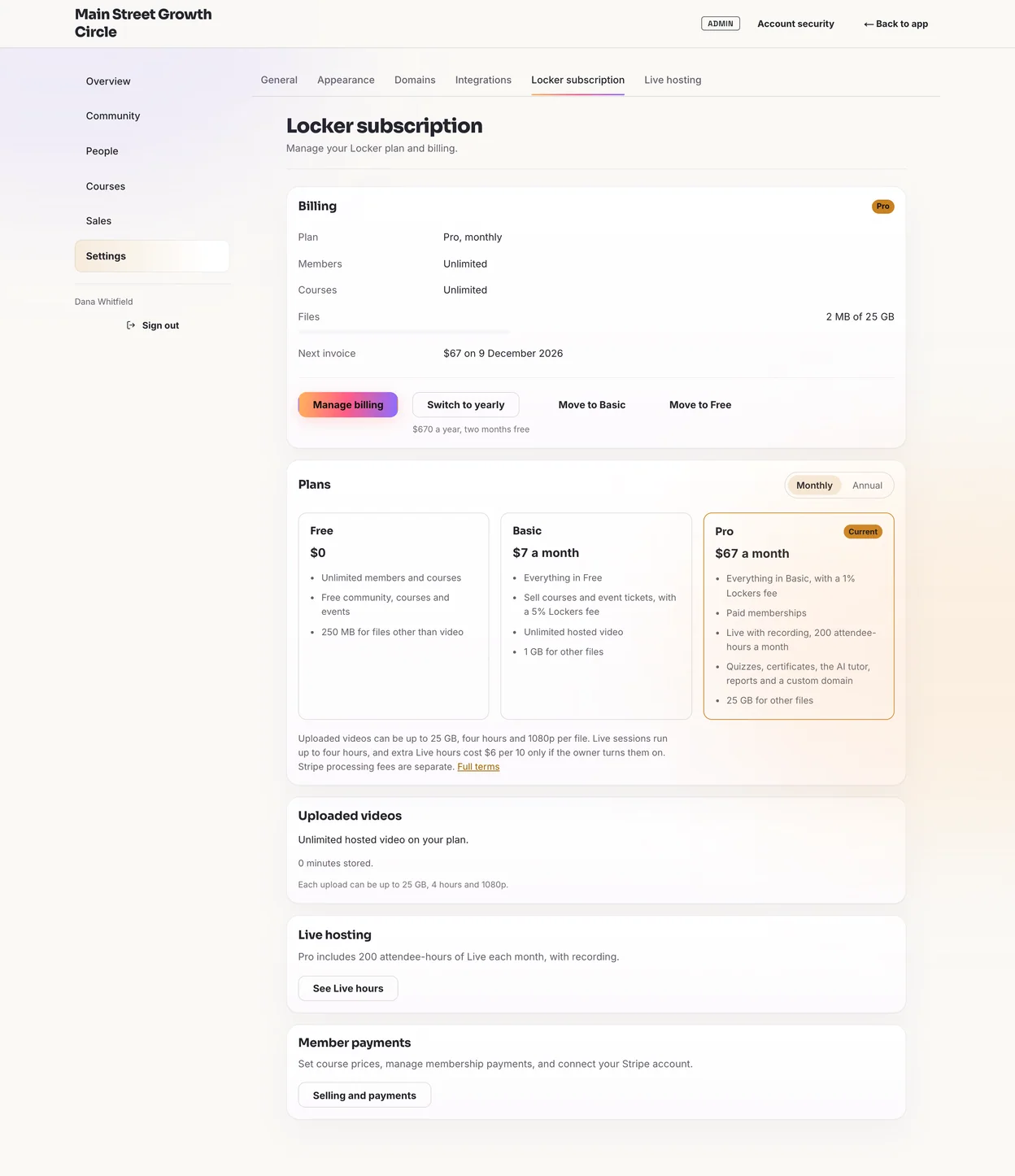
Open Admin > Settings > Locker subscription and select Choose Basic or Choose Pro (compare every limit on the pricing page).
Open Admin > Sales > Payments and select Connect Stripe. Complete Stripe's prompts, then click Refresh payment status until the card reads Connected and Ready to receive payments.
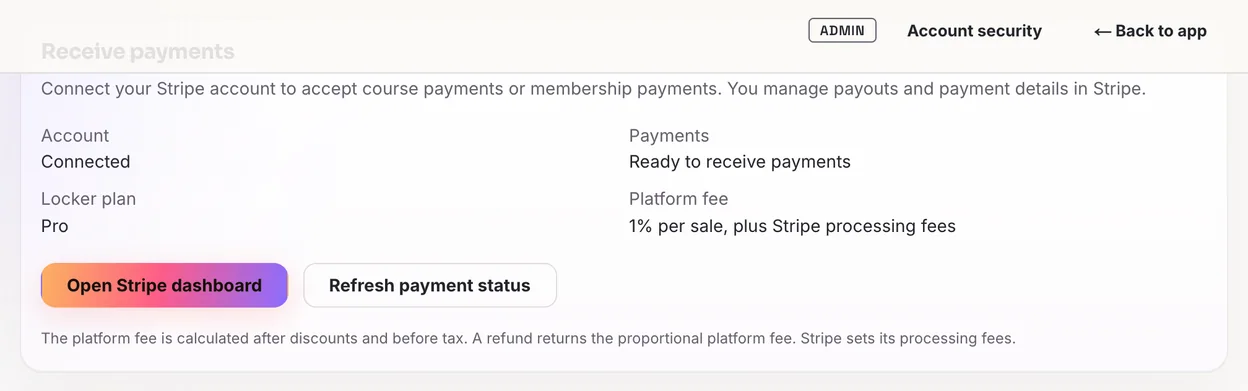
Once the card shows Ready to receive payments, funds flow directly to your Stripe account.
Money hits your Stripe account the moment a student pays, and Stripe transfers it to your bank on your payout schedule (click Open Stripe dashboard to track deposits). Issue refunds under Orders and refunds: full refunds revoke access automatically, while partial refunds leave access intact. See selling in Lockers for checkout details.
1. Sell small-group lessons as event tickets
A live lesson is the fastest route to your first payout because all it needs is a date, a call link, and a ticket price. Ten $40 lessons a month on Basic leave you $365.40 after Lockers and Stripe fees. In Lockers, each lesson lives on your Calendar, and guests can buy a seat with a free Lockers account without joining your community.
Open Calendar > New event and name the outcome, like "Your first three guitar chords in 45 minutes."
Under How it happens, pick External link and paste a Zoom or Google Meet link (only ticket holders see it), or pick Live room on Pro.
Set Date, Starts, Length, and Time zone under When.
Open Access settings. Choose Everyone buys a ticket if members pay too, or Members come free. Guests buy a ticket. if live lessons are a member perk. Enter your Ticket price ($1 to $10,000).
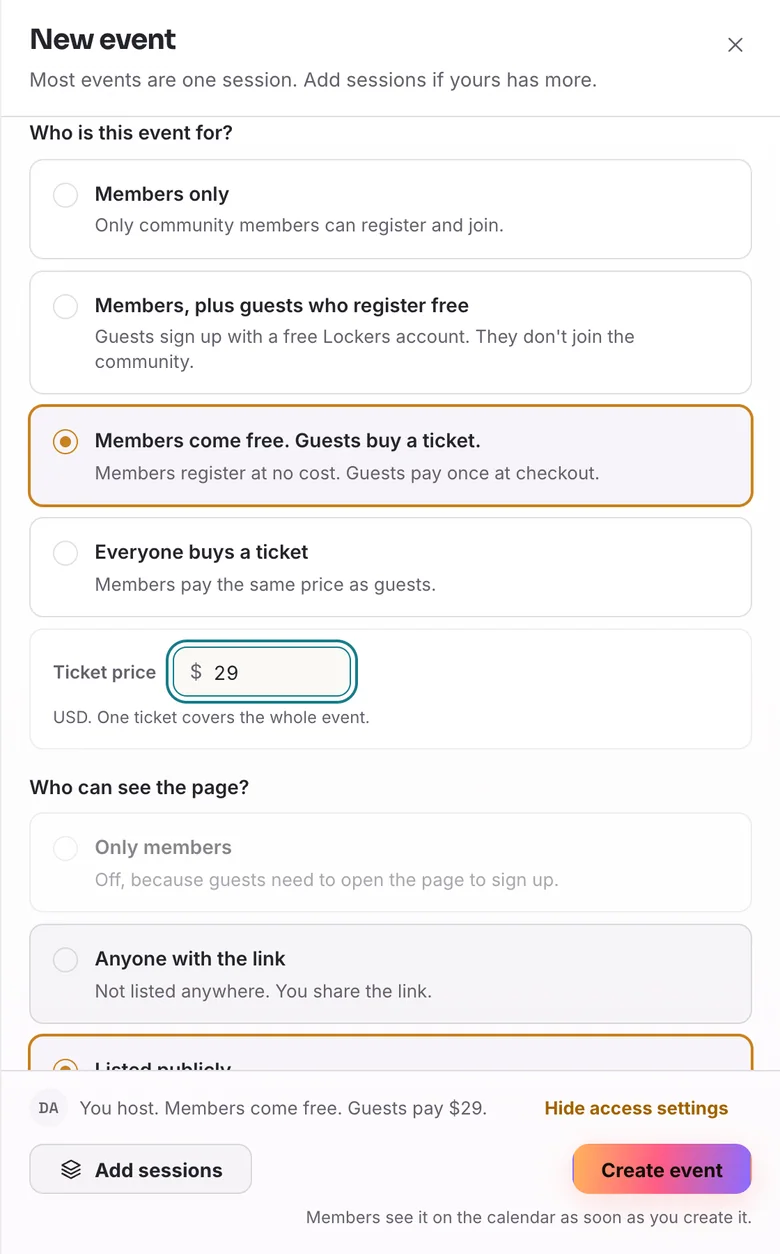
The bottom summary confirms who pays before you publish. Set Who can see the page to Anyone with the link to keep it off your public About page, click Create event, and share the link. Note that there are no seat caps or recurring events yet, so schedule each lesson individually. Ticket holders get automatic reminders the day before and 15 minutes before start time. See paid event passes for the buyer view.
2. Teach a paid workshop to a group
A paid workshop lets one 90-minute evening earn twenty times a single lesson. Twenty $29 tickets on Basic leave you $528.20 after fees, before income tax. It's also the smartest way to test a future course: write down every question attendees ask, and you have your next course outline.
Set it up like a lesson, choose Members come free. Guests buy a ticket., and set visibility to Listed publicly so visitors can buy right off your About page. Our guide to selling workshop tickets covers pricing and promotion in full.
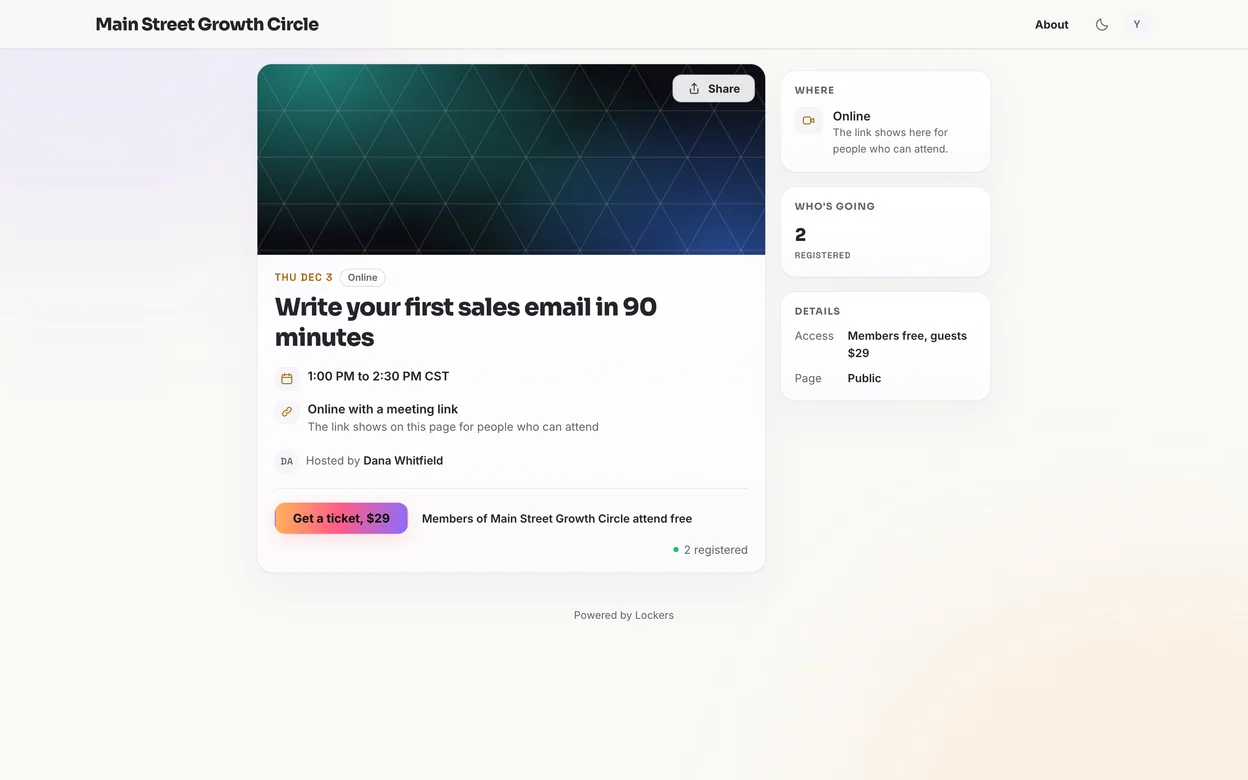
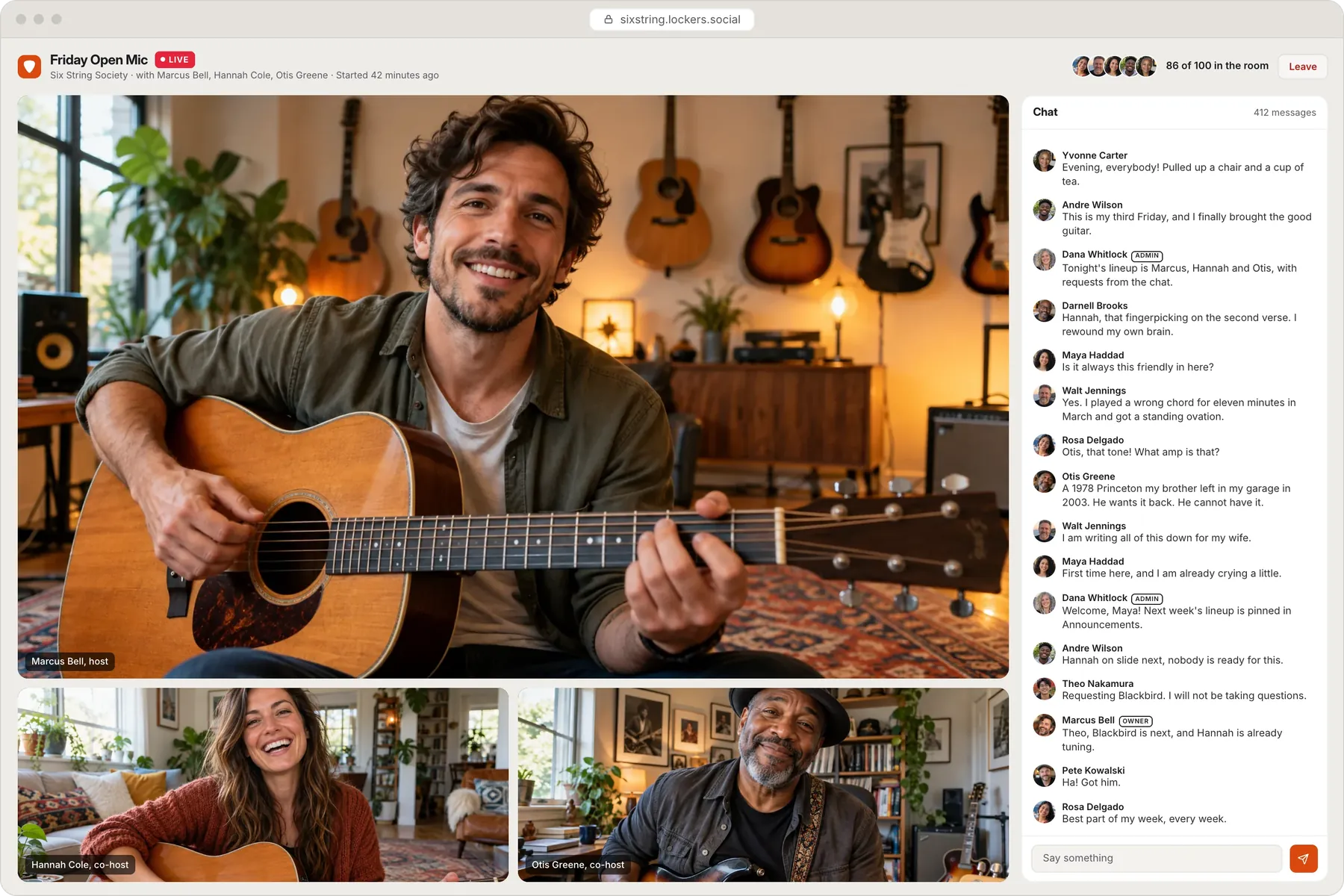
If you're on Pro ($67/mo), choose Live room to teach right on the event page with up to 100 people and chat beside your camera. Pro includes 200 attendee-hours a month (40 people for 90 minutes equals 60 attendee-hours; when hours run out, Live pauses unless you opt in to $6 per 10 extra hours). Leave Record toggled on, select Keep replay afterward, and every ticket holder can watch the replay right from the event page.
3. Sell a self-paced course built from real questions
Don't start with a course. Recording ten lessons before anyone has paid you is the slowest way to earn a dollar, and email platform Kit noted in August 2026 that pure information courses are losing ground as AI makes basic answers free. Teach a workshop or a few lessons first, build your course around the exact sticking points students hit, and keep your community open beside it so buyers get real help.
Open Classroom > New course to launch Course studio with Module 1 ready.
Drag your files onto Drop files to make lessons. Each file becomes a lesson named from the file (video lessons require Basic or Pro).
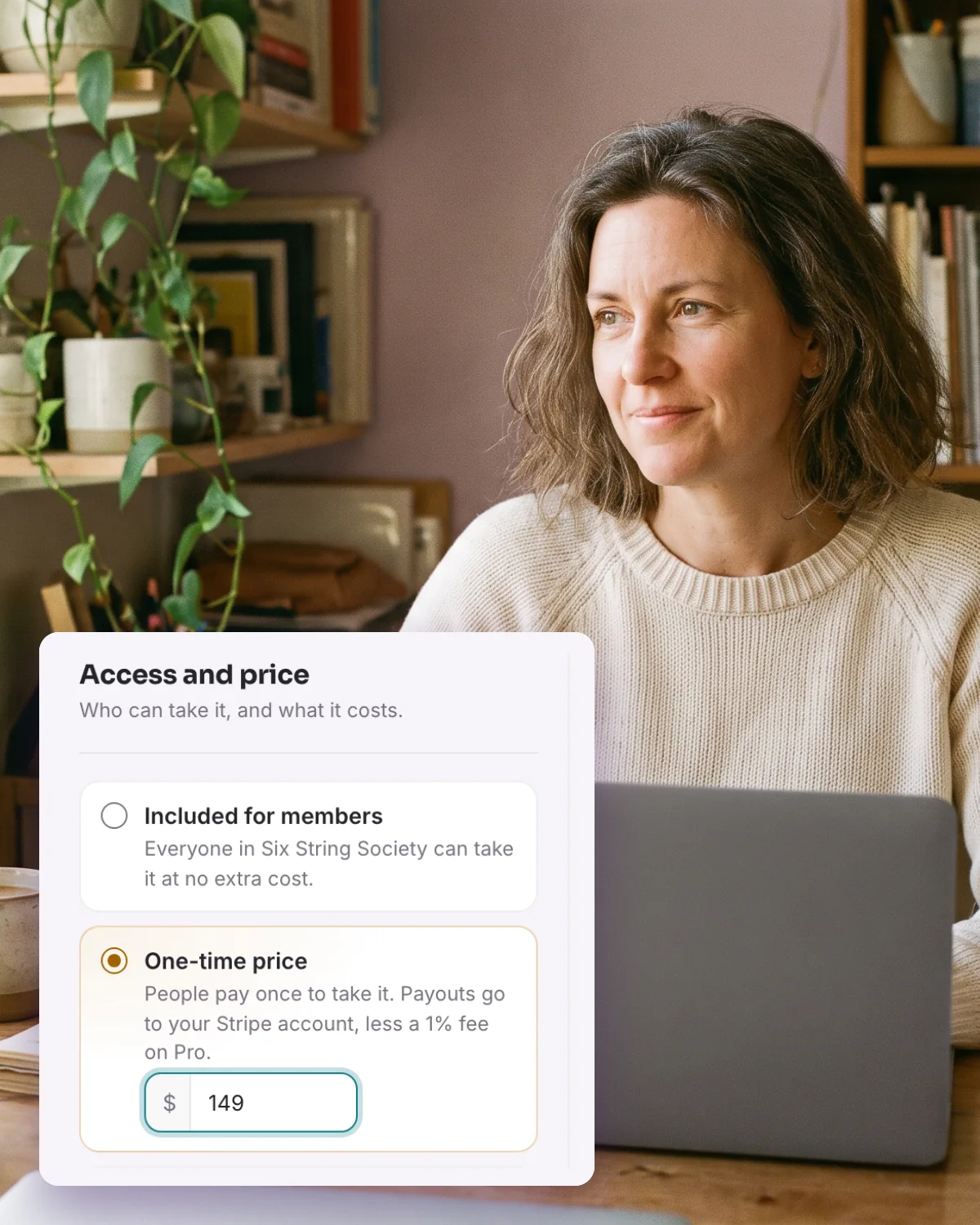
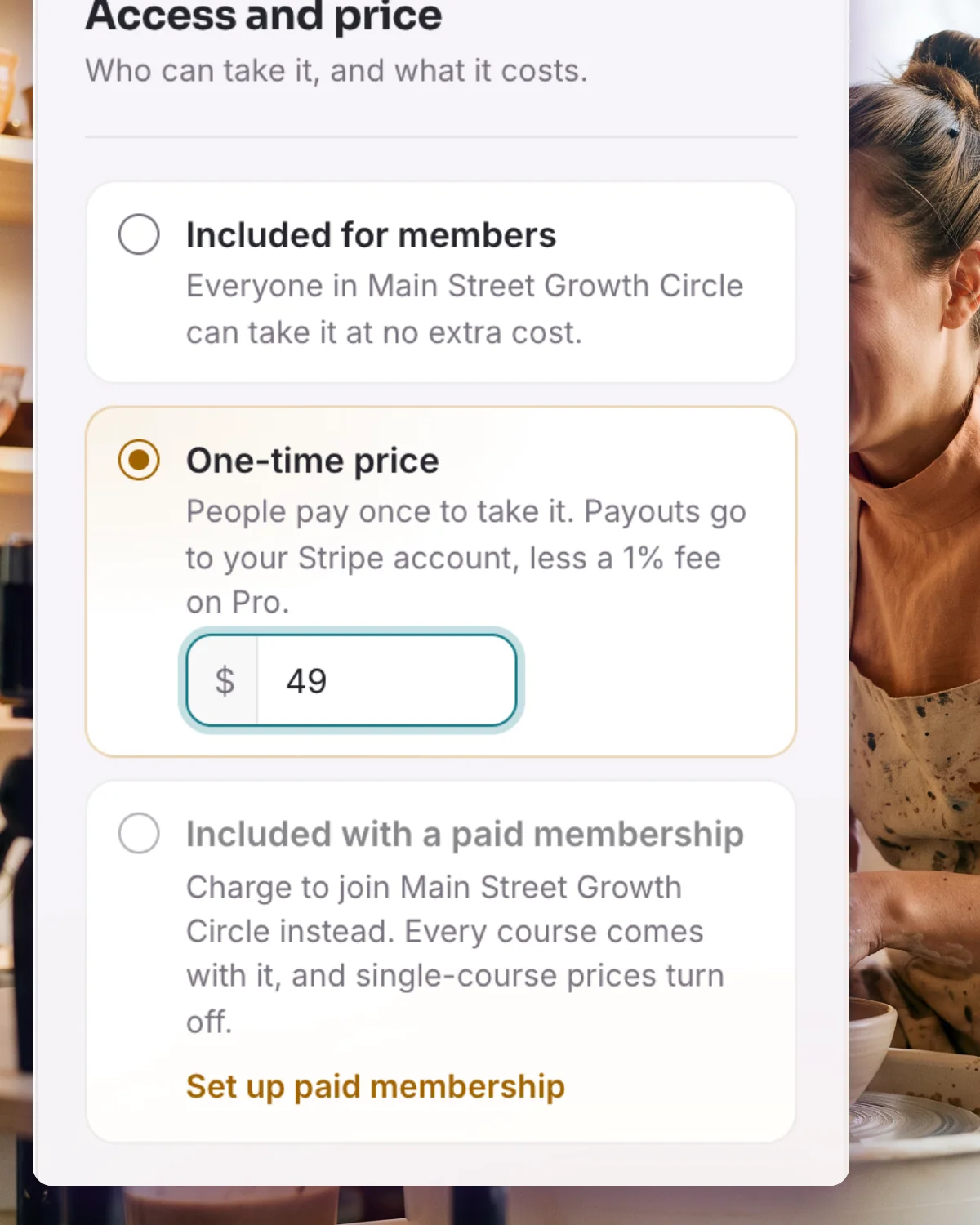
Open Course details, set Access and price to One-time price ($1 to $10,000), and toggle Free preview on for lesson one so members can sample your teaching.
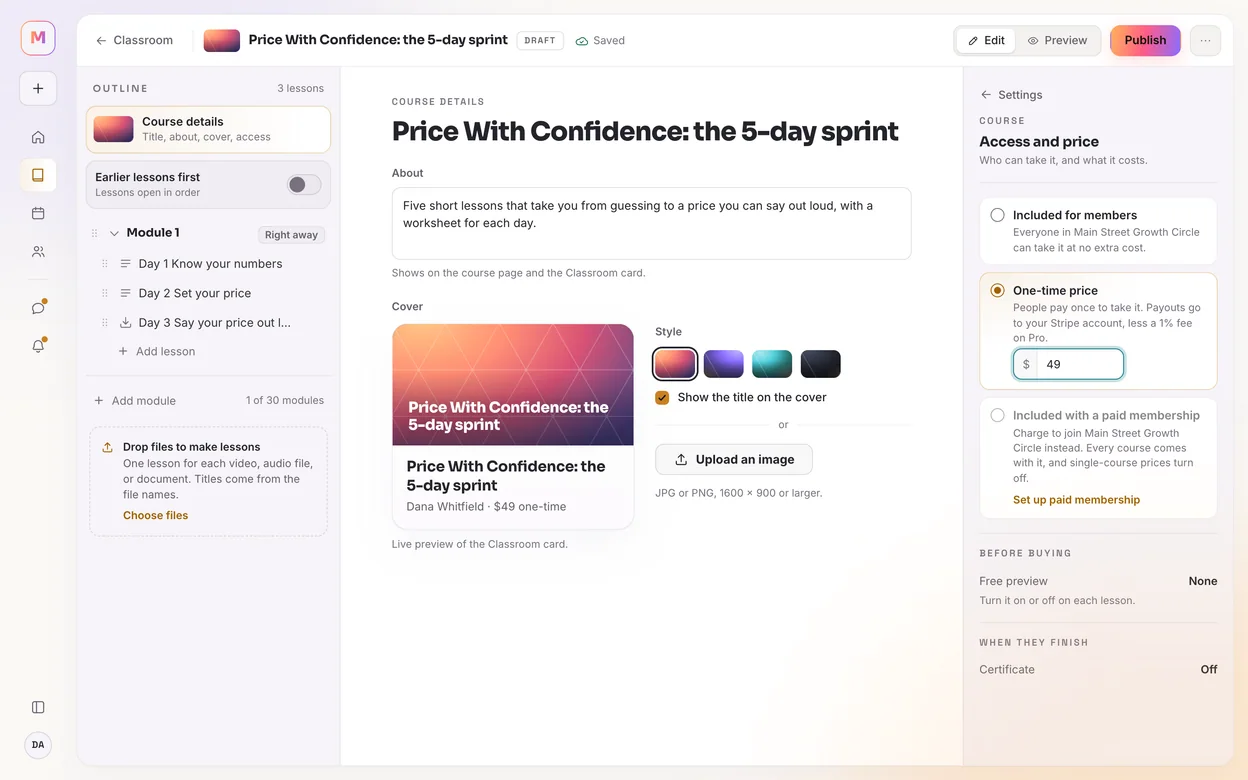
Set your price under Access and price and preview the course card live. Click Publish and accept the option to announce it in your feed. Course buyers must be members of your Locker, which makes a free community the natural starting point for course sales. See how to create an online course and how much to charge.
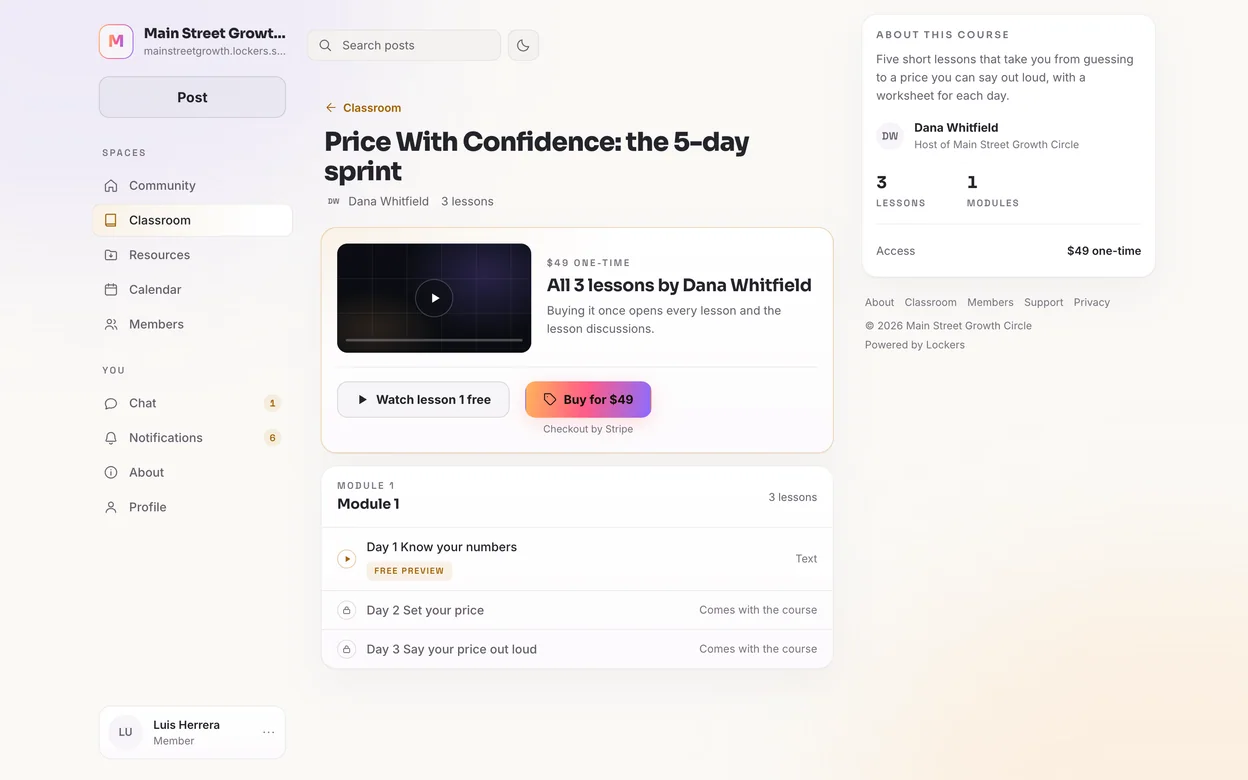
Members try lesson one free, then check out through Stripe in two clicks.
4. Charge a monthly membership for long-term skills
Memberships work best for skills people practice for years, like an instrument, a language, a craft, or running a business, where ongoing feedback matters more than a one-time finish line. Paid memberships require Pro ($67/mo) and carry a 1% fee on every payment and renewal. Fifty members at $29 a month bring in $1,450/mo, with $14.50 going to Lockers.
One key rule: a paid membership includes every course in that Locker. Before switching, set every course to Included for members. If anyone has already bought a standalone course in your Locker, Lockers protects those buyers by blocking the switch. Keep that Locker for individual courses and launch your membership in a fresh Locker on Pro.
Make sure every course in the Locker is set to Included for members.
Open Admin > Sales > Payments and scroll to Community membership.
Under Cost to join, select Paid membership, enter a Monthly price (USD), a Yearly price (USD), or both (leave either blank to disable it), and click Save membership settings.
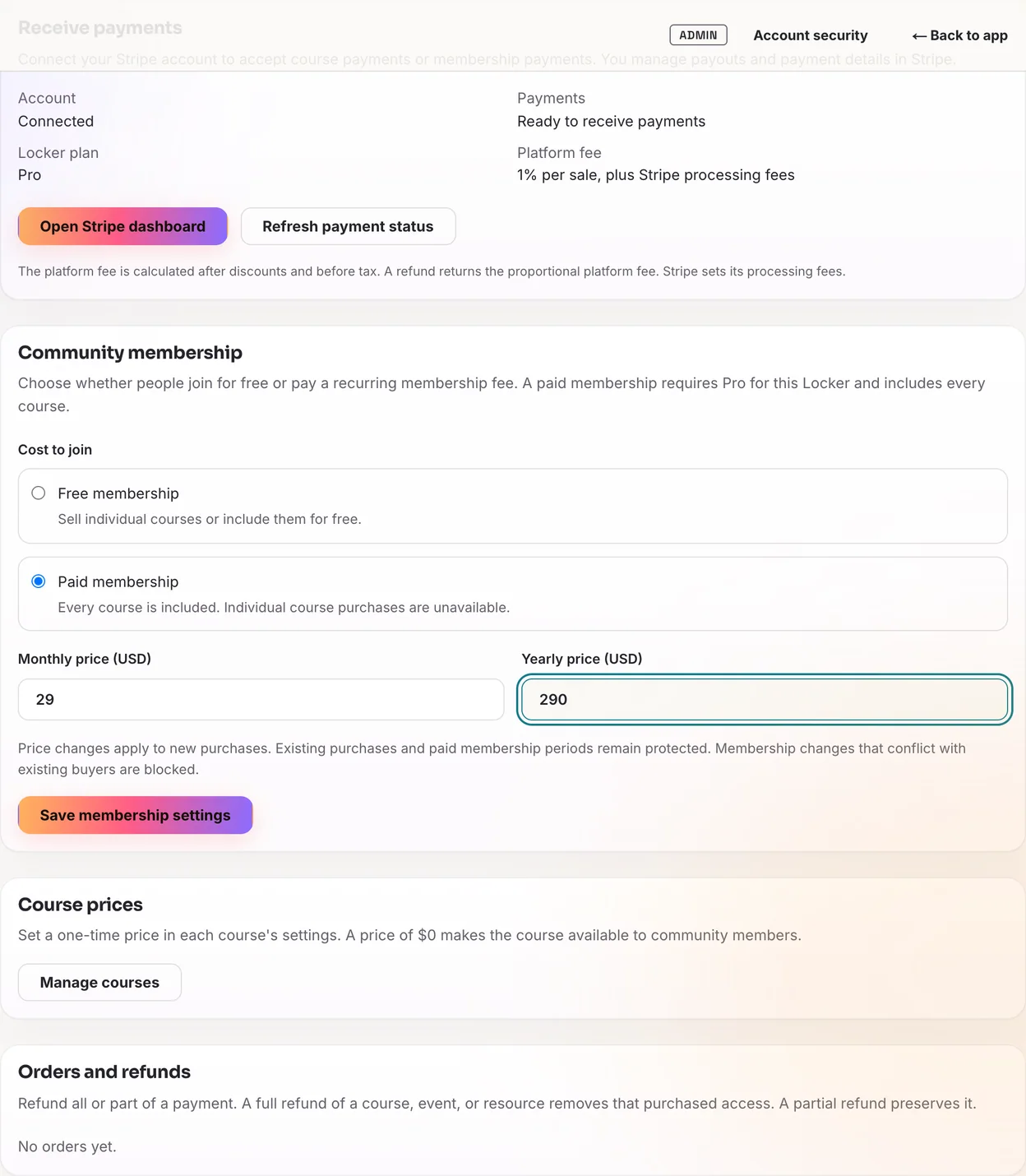
Price changes only apply to new members; existing subscribers keep their rate.
Members manage cards and cancel directly in Stripe, keeping access through the end of their paid cycle. See our guide to starting a paid membership site for pricing strategy.
5. Sell worksheets, templates, and guides
Look at the cheat sheets you already hand students: a chord chart, a meal-prep sheet, a budget spreadsheet, or a client checklist. Selling a ready-to-use file at a one-time price ($1 to $10,000 on Basic or Pro) works as a standalone product or an add-on right beside a workshop.
Open Resources > New resource (owner only).
Add a title, a short summary, and up to ten files (16 MB max each: PDF, text, Word, Excel, PowerPoint, CSV, ZIP, MP3, or images).
Under Access, select One-time price, type your amount, and click Publish.
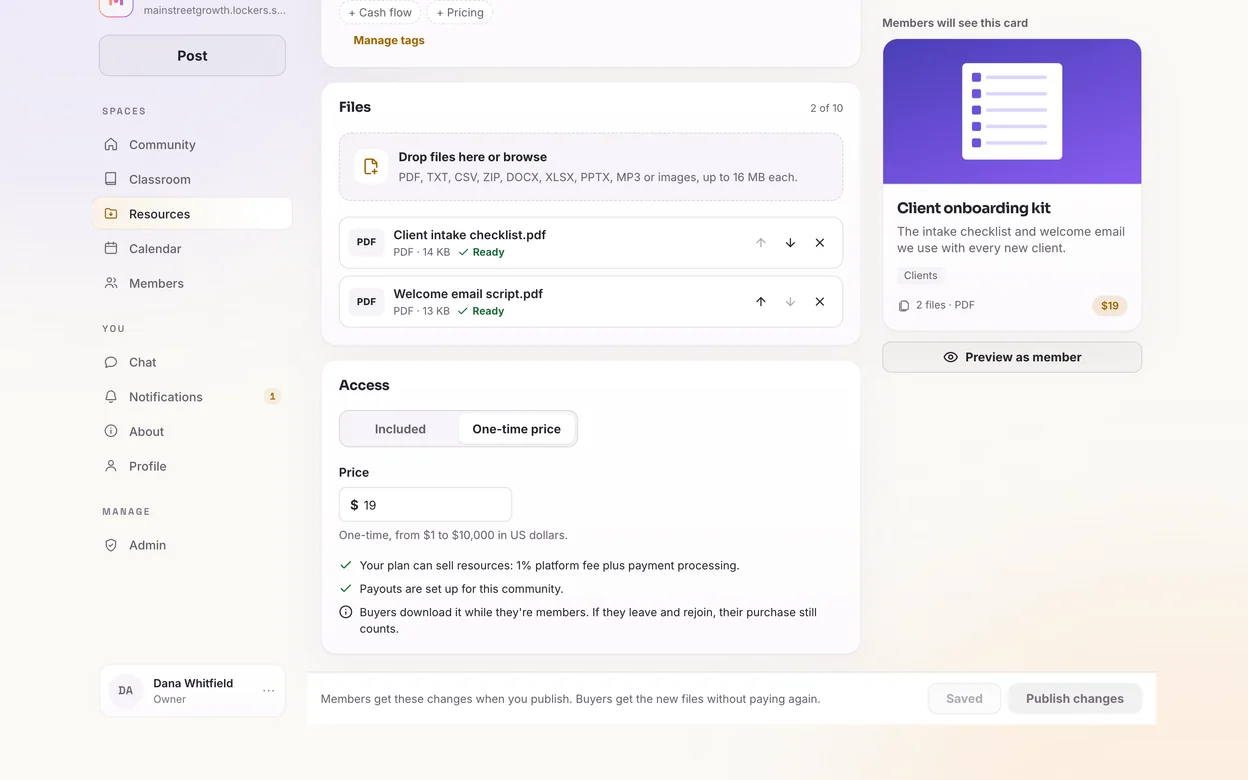
Preview exactly how your paid guide appears in the Resources library.
Buyers download files while they're members, and copied links won't open for anyone else. Storage caps at 1 GB on Basic and 25 GB on Pro. Preview the member experience on the Resources library page.
Land your first five paying students
You don't need strangers to make your first sale. Make a list of ten people who already know your work: coworkers, friends, parents at practice, or anyone who commented on a post asking how you did something. They already trust your skill, so the only new piece is putting a fair price on it.
Start with one free live session to break the ice. Open a free Locker, post a welcome, and schedule one free event using your Zoom or Google Meet link (under Access settings, allow Members, plus guests who register free and set visibility to Anyone with the link). Send personal invites to those ten people. Teach well for an hour, then invite them into your first paid lesson, workshop, or course at the end. For growing beyond your first circle, read getting your first 100 community members.
Set aside tax money from sale one, then book your first session
Teaching income counts as self-employment income from your first payout. In the US, IRS self-employment tax is 15.3% (12.4% Social Security plus 2.9% Medicare) once net self-employment earnings hit $400 in a year. Save a monthly export from your Stripe dashboard beside receipts for mics, lights, and software. Lockers doesn't collect or remit sales tax, so track that as the seller.
You can run lessons, workshops, courses, and paid guides out of one Locker, starting for $0 with no card at lockers.social/start. Put one free session on your Calendar today, invite five people who already ask for your advice, and upgrade to Basic ($7/mo) on the day you're ready to charge.
Related guides
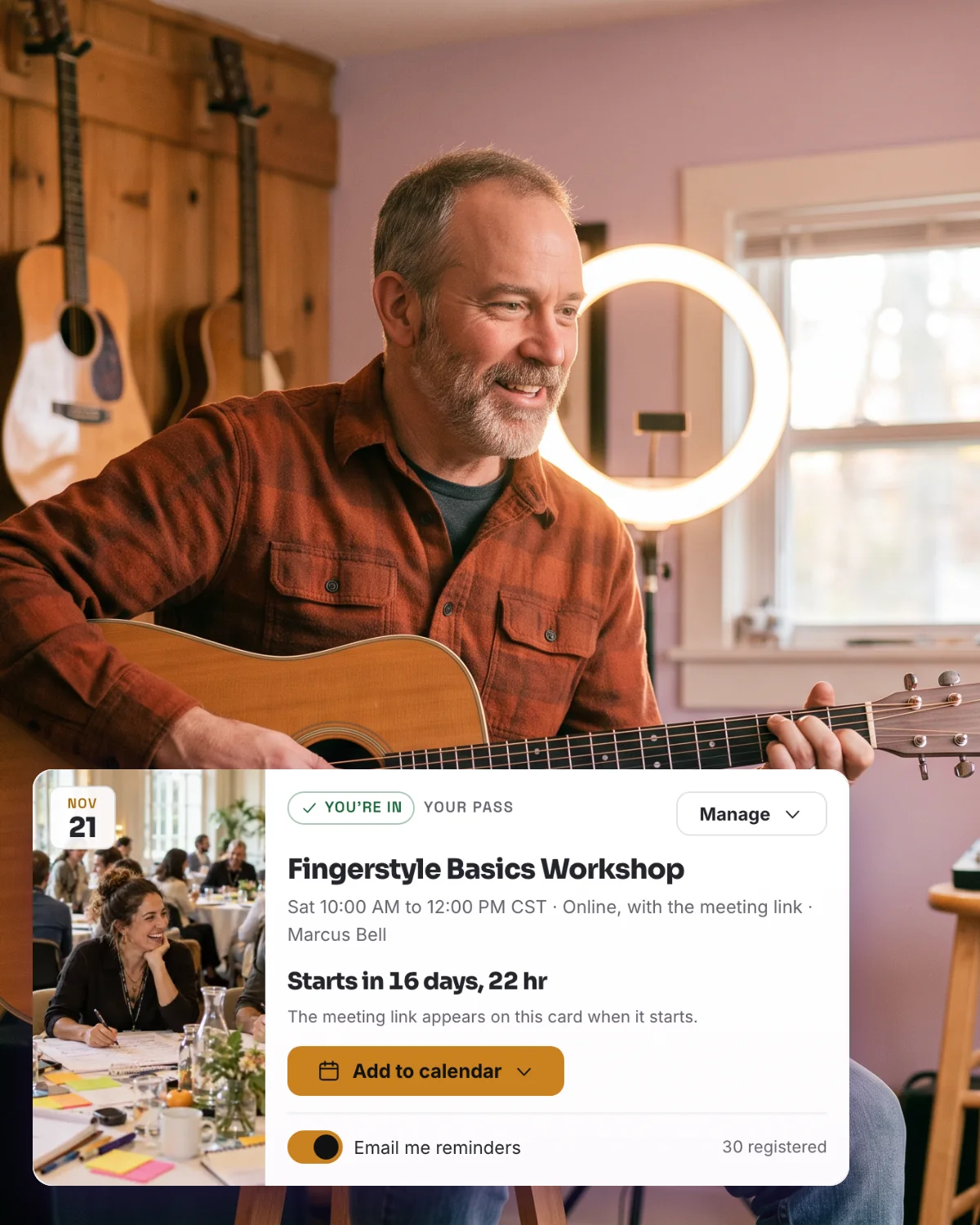
How to sell tickets to an online workshop, step by step
Sell tickets to an online workshop from an event page that takes payment through Stripe and emails reminders to buyers. Ticket sales on Lockers start at $7 a month on Basic.6 min read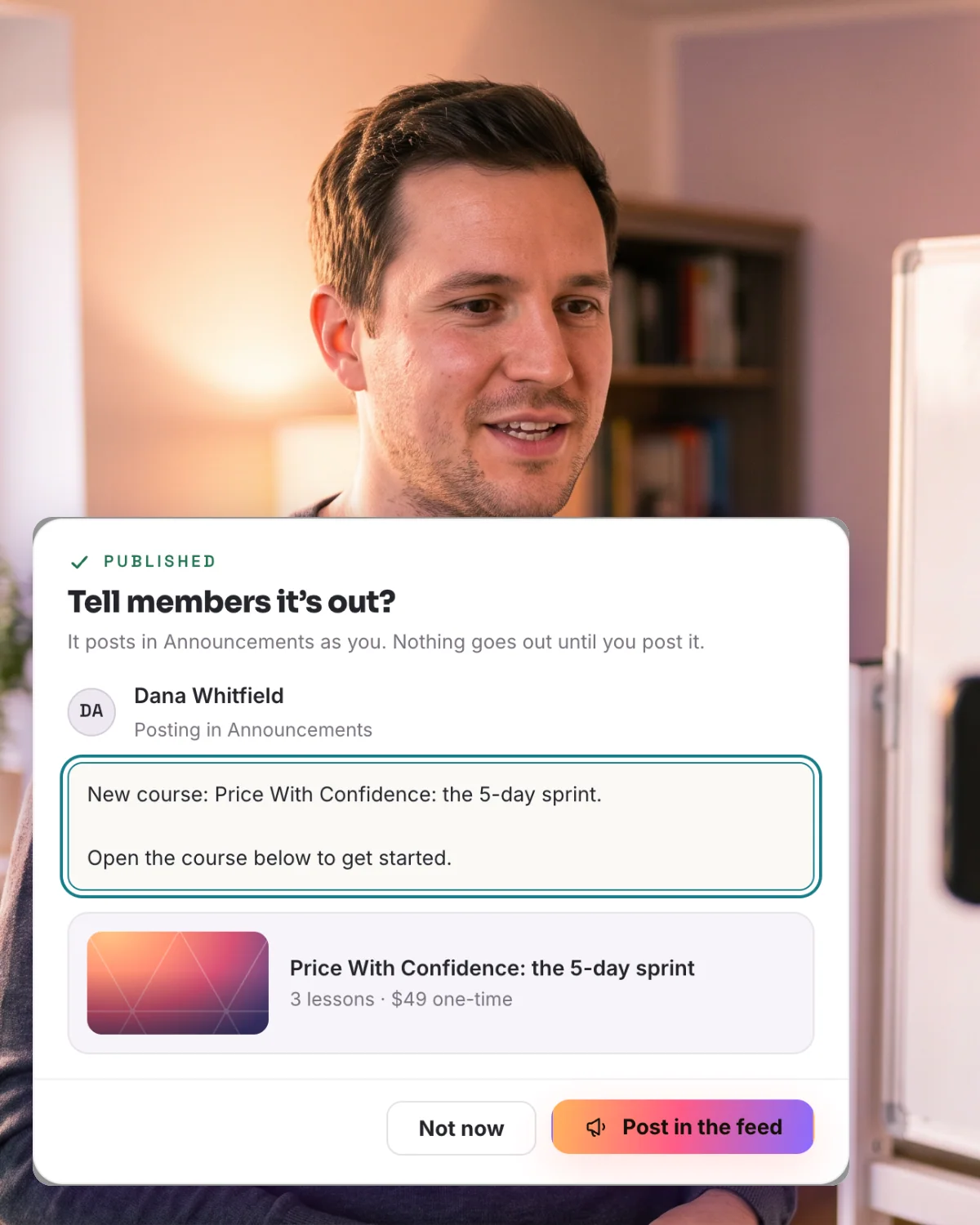
How to create an online course, step by step with screenshots
How to create and sell an online course step by step: pick one checkable result, outline five to eight short lessons, record on your phone, pre-sell with a live workshop, build it in Course studio, and price it from $1 to $10,000.12 min read