

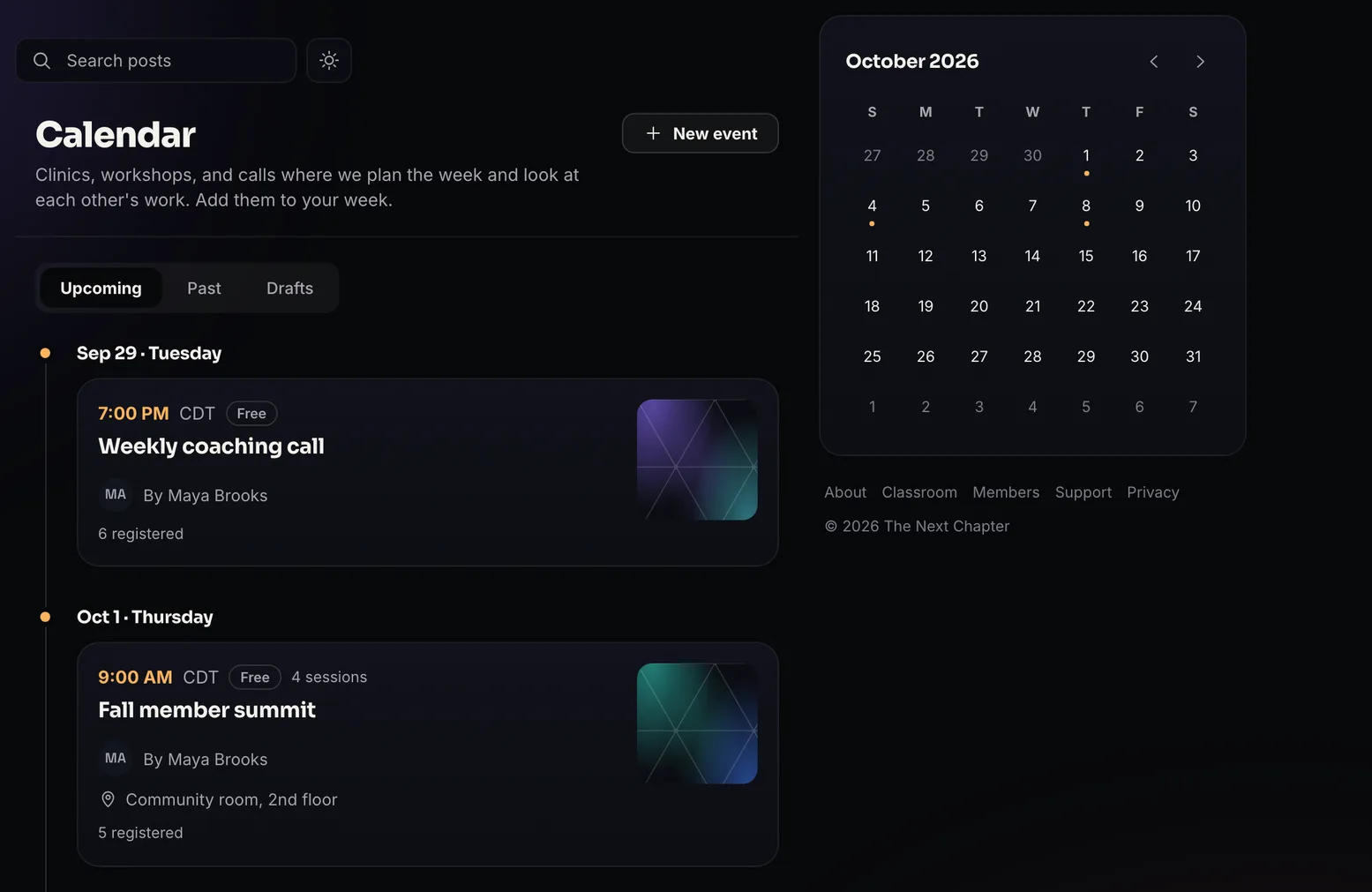
Registration, the live session, and the replay on one event page.
Members and guests register on the event page and get email reminders before each session they picked. On the day the same page has the venue, the meeting link, or the Live room, and after a Live room session ends the replay appears there. Live hosting is a separate paid add-on, sold as three monthly bundles.
Live hosting is a separate monthly charge on a Pro Locker: Live $49, Live Plus $109, Live Max $399 a month. The bundles are below.
Free plan, no card. The calendar, registration, and reminders come with every Locker.
- 100in a live room, with the add-on
- 3on camera at once, with the add-on
- 6 hourslongest session, on the Live Max bundle
- $49a month for the smallest Live bundle, plus Pro
Live hosting is a paid add-on: three bundles, billed monthly in addition to Pro
Live hosting is a separate monthly charge from the Pro subscription. Each bundle includes a monthly allowance of attendee-hours and sets the longest a single session can run. One attendee-hour is one person connected for one hour, and hosts, co-hosts, and replays are not counted.
$49a month, plus Pro
- 100 attendee-hours a month
- Sessions up to 2 hours
$109a month, plus Pro
- 250 attendee-hours a month
- Sessions up to 3 hours
$399a month, plus Pro
- 1,000 attendee-hours a month
- Sessions up to 6 hours
Additional attendee-hours are $0.60 each, billed at the end of the period. Going over the allowance never ends a session.
Pro owners buy a bundle in Admin under Live hosting, and can change bundles for a single period or permanently.
Create an event in one sheet and members can register.
New event opens one sheet for the title, the format, the date and length, the time zone, and a cover. Every plan can run an event in person, as a hybrid with a venue plus a meeting link, or by external link, and the Live room format comes with the Live hosting add-on. Create event publishes it to the calendar and sends members a notice, and each member sees the start time in their own time zone.
- In person, hybrid, or an external link on every plan
- Published on Create, with a notice to members
- Start times in each member's own time zone
Go live from the browser with up to 100 people in the room.
The room is part of the paid Live hosting add-on. Go live is a button on the event page, and the room opens in the browser with no software to install. The host takes the large tile and up to 2 co-hosts sit beside them on camera. Chat runs down the right while everyone else watches. The header shows who is in, and the peak count is kept with the session afterward.
- Host plus 2 co-hosts on camera
- Up to 100 people in the room
- Two sessions live at once
Lay out a multi-day agenda with up to four tracks.
On Pro, Add sessions opens a schedule builder with days side by side and a lane for each track. Click an empty slot to add a session, then set its kind, hosts, and times in the side panel. Members star the sessions they want, and where two sessions start at the same time the agenda asks them to pick one.
- Days side by side, up to four tracks
- Review shows the page as a member or a guest
- A Your time / Event time toggle
Guests register with a free account and no membership.
An event page can be members-only, link-visible, or public on Free or Pro, and public events are listed on your community About page. A guest registers with a free Lockers account and gets access to that one event with no community membership. On a hybrid event each person chooses in person or online, and you see both counts. Paid events sell one ticket that covers the whole event, on Free and Pro.
- Members-only, link, or public visibility
- Registration needs a free account and no membership
- Email reminders the day before and 15 minutes before
Live room sessions record, and the replay stays on the event page.
With the Live hosting add-on, each Live room session has a recording switch, and it starts on when you create a Live room event. A session records while it runs, and when processing finishes the replay appears under Replays on the same event page, at the link members already have. A recap can be posted to the event wall from that row.
- A recording switch on each session
- Replays do not use attendee-hours
- Peak viewer count kept with each session
What a member sees
Members get a start time in their own time zone and one link that works from registration through the replay.
The time in their own zone
A member sees each start time in their own time zone and can add the event to Google, Apple, or Outlook from the Add to calendar menu. A multi-session event goes in as one file with every session.
The same link for the whole event
Before they register, the link shows Register. After that it shows their pass with a countdown, and reminder emails point back to it. On the day the same page has Join or the meeting link, and a Live room replay appears there once it is ready.
Questions stay with the event
Chat runs beside the video during the session, and the event wall keeps the follow-up questions attached to the event.
What is included and what is a paid add-on
Every Locker can run single-session events in person, hybrid, or by external link, with registration, guest sign-up, and email reminders. Pro adds multi-session events built in the schedule builder. Hosting in the Lockers Live room requires Pro plus the Live hosting add-on, billed monthly in attendee-hours.
per Locker, forever
- Events and registration
Members register from the event page, and you see the registered count. On a hybrid event each person picks in person or online, and you see both counts.
- In person, hybrid, or a meeting link
Add a venue, a meeting link, or both. Only people who can attend see the link.
- Guest registration
Guests register for one event with a free Lockers account and do not join your community.
- Reminders and Add to calendar
Email the day before and 15 minutes before each session a person picked, with a one-click unsubscribe for that event. Add to calendar covers Google, Apple, and Outlook.
- Ticketed events
On Free and on Pro, sell one ticket that covers the whole event. In a paid-membership Locker members attend free, and in a free Locker you choose whether members attend free or buy a ticket too.
Details
The Lockers platform fee is 5% on Free and 1% on Pro. Payment processing is charged separately by Stripe.
$49 a month or $470 a year per Locker
- Multi-session events
A schedule builder with days side by side, up to four tracks, session kinds, and hosts. Review previews the page as a member or a guest before you publish.
Details
Unpublished events wait under a Drafts tab. Publishing from Review can post an announcement in Community with the event card attached, and pin it.
- Webinars in the Live room
A paid add-on on top of Pro. Go live from the browser with up to 2 co-hosts on camera and up to 100 people in the room.
Details
Live at $49 for 100 attendee-hours, Live Plus at $109 for 250 attendee-hours, Live Max at $399 for 1,000 attendee-hours, each on top of Pro. Additional attendee-hours are $0.60 each, and sessions run up to 2, 3, or 6 hours by bundle.
- Included with every Live bundle
Recording while the Lockers room is live, set for each session, with the replay kept on the event page.
Details
Replays are stored inside your Locker's video allowance, 1,200 minutes on Pro, and they do not use attendee-hours.
Live hosting is a separate charge from the Pro subscription. The bundles below set the monthly allowance.
What live events do not include
There are no recurring events, so a weekly call goes on the calendar one week at a time. We do not sync with Google, Apple, or Outlook calendars; Add to calendar saves a copy, and a later change on Lockers does not update it. We do not cap seats, run a waitlist, or check people in at the door. A room holds 100 people. There is no RTMP or OBS input, no sending the session out to YouTube, no breakout rooms, no raise hand, no Q&A queue, and no native mobile hosting. A ticket covers a whole event, and replays come only from the Live room and count against your stored video allowance.
The questions asked most often
Do people need a Lockers account to attend?
Yes, and it is free. A guest account registers someone for that one event and does not join them to your community, so it does not open the feed or the classroom. The public event page itself is readable before anyone signs in.
Is live hosting included in Pro?
No. Pro is required, and live hosting is a separate monthly bundle on top of it: Live, Live Plus, or Live Max. Events in person, hybrid, or by external link, with registration and reminders, are included on every plan, and Pro adds multi-session events.
How many people can be in a live session?
Up to 100 in the room, with the Live hosting add-on. The host and up to 2 co-hosts are on camera, and everyone else watches and types in chat. Two sessions can be live at the same time, which is how a parallel track works during a summit.
What is an attendee-hour?
One person connected for one hour. Forty people in a 90-minute session comes to 60 attendee-hours. Hosts and co-hosts are not counted, and neither are replays. A session continues past the allowance, and the extra hours are billed. Attendee-hours beyond your monthly allowance are $0.60 each.
Can I use an external meeting link such as Zoom?
Yes. Choose External link when you create the event, on any plan, and the page still handles registration, reminders, and who is coming. Only people who can attend see the link. The automatic recording and the replay come from the Lockers Live room, so an external link does not produce them.
Other feature pages
Put your next event on the calendar
Start free and schedule the first event today. Live hosting is a separate paid add-on for running the session inside Lockers.